





On this page
Chalkduster font at a glance
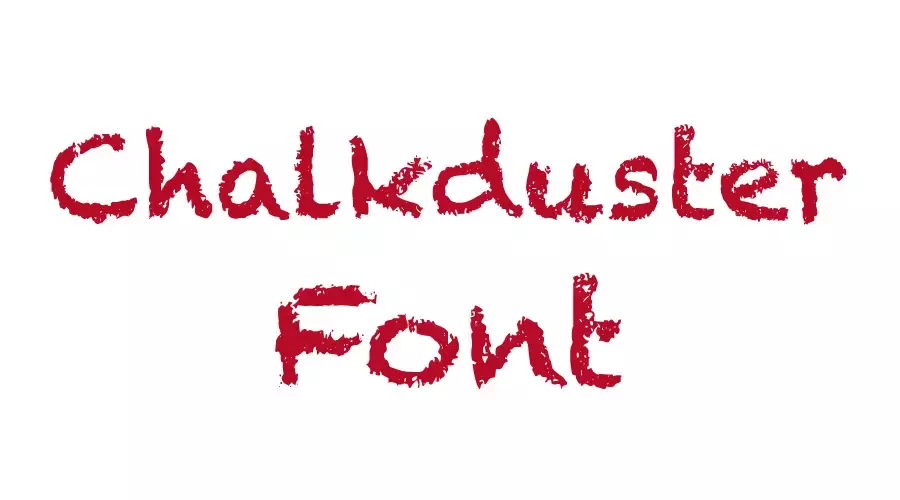
Chalkduster is a brush-style sans serif that Apple released in 2003 as part of Mac OS X v10.3. Its letters look hand-drawn, like chalk on a board, so it suits posters, headlines and any text that needs a rough, lively edge. It comes in one regular style.
About the Chalkduster font
Chalkduster is a sans-serif typeface made by Apple. The brush shapes have uneven edges that resemble chalk writing. That gives the font a rough, friendly feel, and many people reach for it when they want a casual headline or a sign with some personality.
The font has one regular style. For most projects, that single style is enough, because the character comes from the shapes rather than from extra weights. Chalkduster works well over photos, on banners and in branding where you want a hand-made touch.
Many designers pair a brush font with a plain sans serif for the small text. The rough headline carries the mood, and the clean font keeps the rest easy to read. This pairing works well on flyers, menus and social posts.
Compared with smooth script fonts, Chalkduster looks rougher and more direct. It fits best when the text should feel loud and informal rather than polished. Keep the wording short, since the brush edges can make long lines harder to read.
The font is available in TTF and OTF formats, so it should work in most desktop programs and many design apps. This font is listed as free to use, but check the license before commercial use.
If the style fits your project, you can get the font with the button below.
Font View
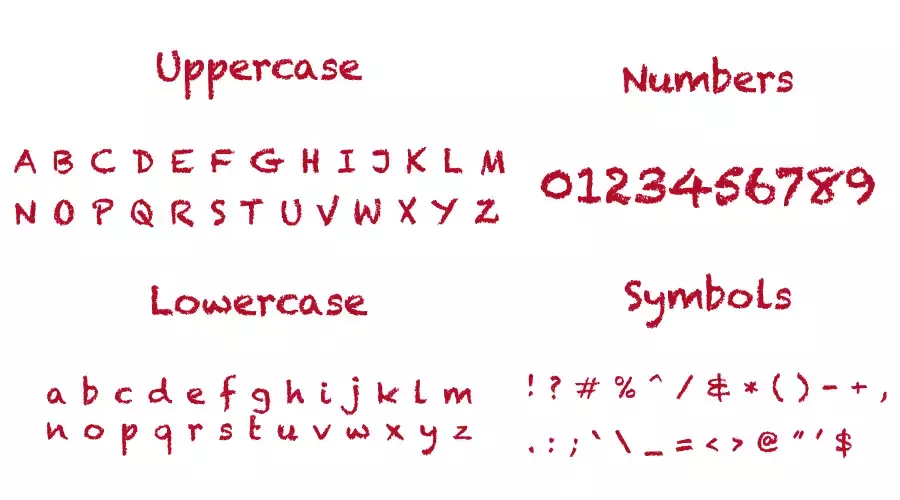
The character map shows the letters, numbers and symbols in the font. Check it before you type long text, so you know which characters you can use.

How to use Chalkduster font
On Windows, download the font file, right-click it and choose Install. Restart your design app if the font does not appear in the list.
Before you install a new copy, check whether the font is already on your computer. Two copies with the same name can confuse some apps, so keep only one active version at a time.
On a Mac, open Font Book first and search for Chalkduster. If it is not there, double-click the font file and select Install Font.
In Canva, check the font menu first. If the font is missing and your plan allows uploads, upload the file. If not, type the text in a desktop program, export a PNG and place that image in your design.
Chalkduster Font Generator
Type a word or a short headline to see how the brush edges look. Chalkduster can look crowded at small sizes, so test the text at the size you plan to print or post. Try two or three sample lines to see how the rough edges hold up.
-
Chalkduster Preview only
- Format
- TTF
- Licence
- Commercial licence: preview only
Chalkduster Font Free Download
Font Information
| Full Font Name | Chalkduster |
| Version | Ver. – . 1.00 |
| Created & Modified Date | April 22, 2011 |
| Copyright | Copyright 2008 Apple Computer, Inc. |
| Unique Font Identifier | Chalkduster; 7.0d6e1; 2011-04-22 |
| Glyphs | 805 |
| Characters | 620 |
| Classification | Sans-serif |
| Type | TrueType |
Fonts similar to Chalkduster
FAQ
What is the Chalkduster font?
Chalkduster is a brush-style sans serif that Apple released in 2003 as part of Mac OS X v10.3. It has one regular style.
What makes Chalkduster different from other brush fonts?
Its letters have uneven, hand-drawn edges that look like chalk on a board. The rough look makes it stand out in headlines, banners and signs.
Can I use Chalkduster for commercial work?
The font is listed as free to use, but check the license before commercial use. Read the license that comes with your file before you publish paid work.
Which file formats does Chalkduster come in?
The font is available in TTF and OTF formats.