





On this page
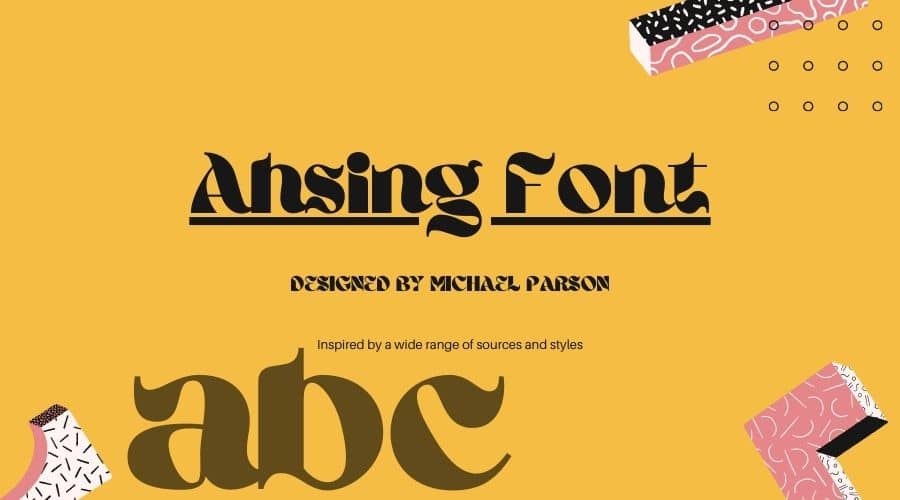
Ahsing is a bold display typeface designed by Michael Parson and published through Typogama. It has one weight, with strong contrast and a clear diagonal axis. This page covers both Canva and desktop use.
About the Ahsing font
Ahsing is a display face, so it is built for large text. Common uses include wedding lettering, book covers, marketing, magazines and branding. Test it at the size you plan to print before you commit to a layout.
Ahsing includes a large range of OpenType features and an expanded character set. Those features matter if you set longer headlines or want alternate letter forms in an app that supports them.
Because Ahsing comes in one weight, you do not need to choose between styles. Pick the size and color that suit the layout, then check how the strong contrast looks at that size. Fine details can get lost at small sizes, so view a proof before you send a file to print.
Ahsing Font Generator
Type your own text below to preview Ahsing before you download it. Try a few words of different lengths to see how the letters behave at your size.
-
Ahsing Regular Download font Open in Studio
- Format
- OTF
- Licence
- See the font page for the licence terms
Ahsing
Ahsing font features
- One weight with a bold form and strong contrast.
- A pronounced diagonal axis that gives the letters a dynamic, flowing feel.
- A large set of OpenType features and an expanded character set.
How to use the Ahsing font in Canva
- Open Canva, start a design, and add a text box.
- Search the font menu for Ahsing. If it appears, select it.
- If it does not appear, download the font with the button below, unzip the file, and upload the font if your Canva plan allows it.
If uploads are not available, install the font on your computer, export your text as a PNG from a desktop program, and place the image in Canva.
How to install Ahsing on Windows or Mac
On Windows, right-click the .otf file and choose Install. On a Mac, double-click the file and select Install Font in Font Book. Restart your design app so the font appears in the list.
Ahsing Font View


Availability and license
Ahsing is listed as available for free personal use on various websites. For commercial use, a license is required, and Typogama sells it. Check the license before you use the font in a paid project.
Fonts similar to Ahsing
For more options with a bold, display look, see these pages on our site:
FAQ
Is Ahsing font free?
The font is listed as free for personal use. Commercial use needs a license from Typogama, so check the license before you use it for a business or paid project.
Does Ahsing come in bold or light weights?
No. Ahsing is a single weight, and its bold form is the only style it comes in.
Can I use Ahsing in Canva?
Many people search for it as a Canva font. If the font is not in Canva’s menu, use the PNG method described above.