





On this page
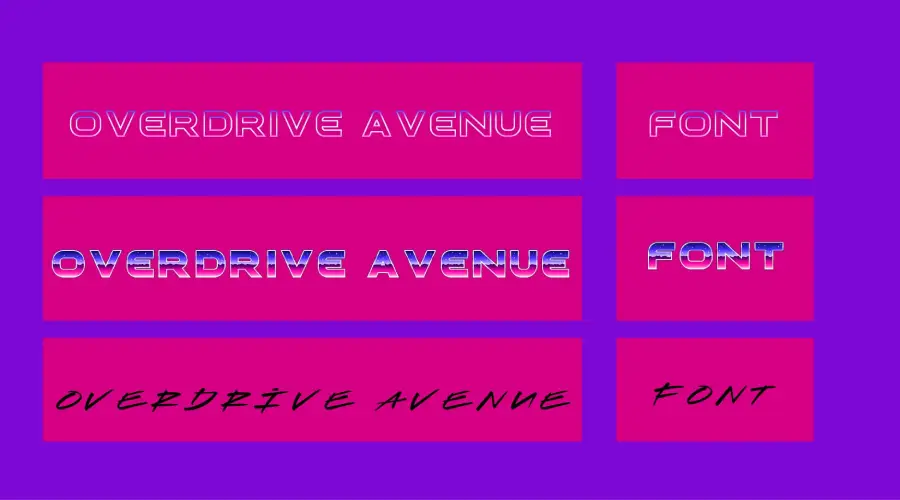
Overdrive Avenue is a retro font with a 2 in 1 design. It pairs a sans serif, Overdrive Avenue Sans, with a handwritten script, Hotliner Script. It suits 80s and 90s style projects, from posters to thumbnails.
About the Overdrive Avenue font
Overdrive Avenue Sans is an 80s style font. It has a regular and an outline version, with uppercase and lowercase letters, numbers and punctuation.
Hotliner Script is a handwritten script with three versions: regular, second and third. It includes uppercase letters, numbers and punctuation. Mix the two styles and a bold word gets a looser, more personal accent.

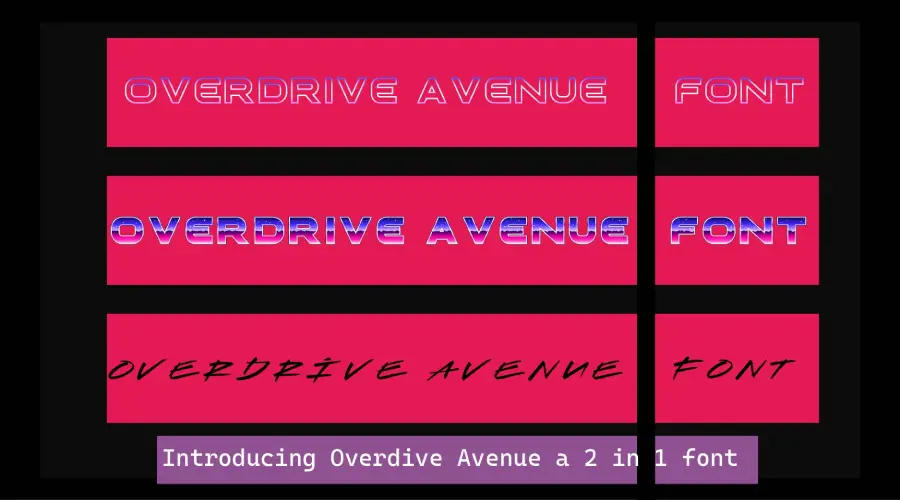
The look draws on motorcycle culture and rock and roll from the 1980s and 1990s. The letters have a retro feel that adds edge to a design without much extra work.
The sans works well for a main title. The script suits a smaller line, such as a date, a name or a short tagline. Pair the two and the eye knows what to read first, without the need for a third font.
Key features
- Color font: The font is a color OpenType font, so one glyph can show more than one color. Adobe Illustrator or Photoshop 2018 or later can work with this format.
- Two styles in one: Pair the sans serif with the script for contrast in headlines.
- Everyday characters: The fonts include the standard letters, numbers and symbols you need for regular text.
- Two looks: Overdrive Avenue Sans comes in a regular and an outline version, so you can test a solid title against a hollow one.
- Flexible use: Try it on logos, posters, flyers, banners, social posts and websites.
Overdrive Avenue Font Generator
Type your own text and compare all five styles in the generator. The sans and script versions look very different at small sizes, so test the size you plan to print or post. Type the words you will really use, not a sample phrase, so you can judge line length and spacing too.
-
Overdrive Avenue Download font Open in Studio
- Format
- OTF
- Licence
- See the font page for the licence terms
Overdrive-Avenue Font -
Overdrive Avenue Outline Download font Open in Studio
- Format
- OTF
- Licence
- See the font page for the licence terms
Overdrive-Avenue Font -
Hotliner Download font Open in Studio
- Format
- OTF
- Licence
- See the font page for the licence terms
Overdrive-Avenue Font -
Hotliner Second Download font Open in Studio
- Format
- OTF
- Licence
- See the font page for the licence terms
Overdrive-Avenue Font -
Hotliner Third Download font Open in Studio
- Format
- OTF
- Licence
- See the font page for the licence terms
Overdrive-Avenue Font
Font View


The character map and the symbols sheet show which letters, numbers and marks each file includes. Check them before a long project, so you know what you can type without switching fonts.
How to use Overdrive Avenue font
On Windows, right-click the font file and choose Install. On a Mac, double-click the file and select Install Font in Font Book. Restart your design app if the font does not appear in its menu.
In Canva, check the font menu first. If the font is missing and your plan allows uploads, upload the file. If not, export a PNG from a desktop app and place that image in Canva.
A simple pattern is to set the main word in Overdrive Avenue Sans and a short accent, such as a date or tagline, in Hotliner Script. Keep the rest of the layout plain so the retro letters stand out.
Each version has its own file, so install every one you plan to use. Check the file names in your download before you start.
Fonts similar to Overdrive Avenue
You may also like the Among Us Font, the Bangers Font, or the Omori Font.
FAQ
What is the Overdrive Avenue font?
It is a 2 in 1 retro font. It combines a sans serif, Overdrive Avenue Sans, with a script, Hotliner Script. Each side has its own versions, so you can mix them to suit a project.
Does Overdrive Avenue work in Canva?
It works if your Canva plan allows font uploads. If it does not, export a PNG from a desktop program and place it in your design.
Can I use Overdrive Avenue for paid work?
Check the license file that comes with the download before you use the font in paid or commercial work.
Does Overdrive Avenue have an outline version?
Yes. Overdrive Avenue Sans has a regular and an outline version. Hotliner Script has three versions: regular, second and third.