





On this page
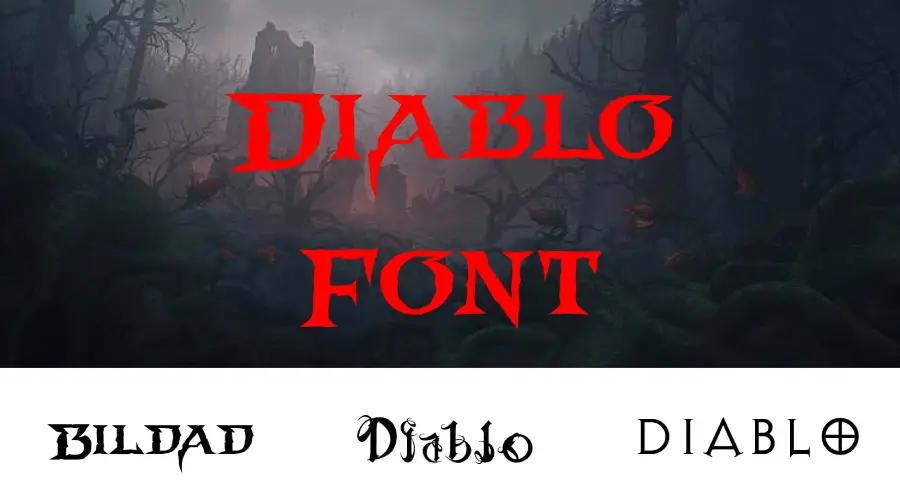
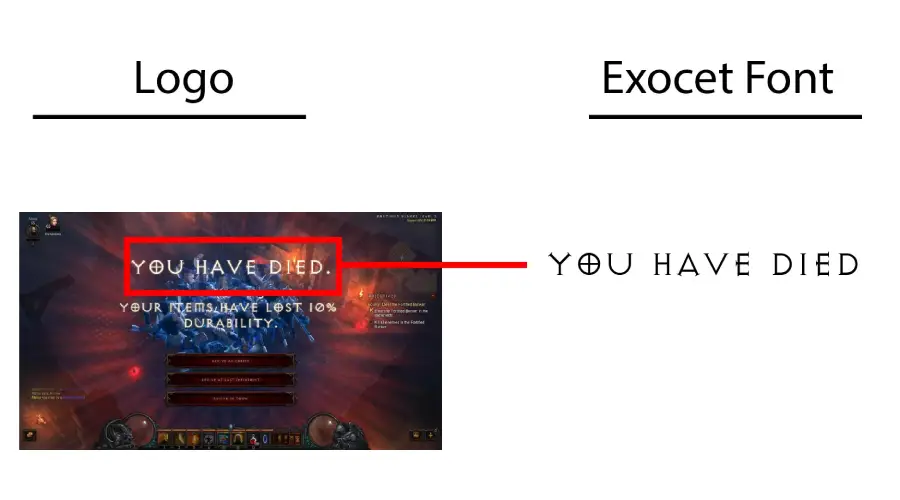
The Diablo logo uses custom lettering, so no standard font is an exact match. The in-game text is based on Exocet, and Bildad is the closest look-alike to the Diablo 4 logo. The generator below lets you compare these options with your own text.
About the Diablo font
Diablo is an action role-playing game series made by Blizzard Entertainment. The first game came out in 1996. The main games are Diablo, Diablo II (2000), Diablo III (2012) and Diablo IV (2023). The story takes place in the dark fantasy world of Sanctuary, where Heaven and Hell fight over humanity.
The series uses a distinctive typeface in its in-game settings. That lettering is what fans look for in fan art, party invitations and game-themed posts. Each main game has its own logo, and the Diablo 4 logo is custom-made.
Closest fonts to the Diablo logo
The Diablo logos belong to Blizzard, so the logo itself can’t be used commercially. Keep it off products you sell and paid ads. The in-game text uses a modified version of Exocet, which is a commercial font. Check its license before you use it in paid work.

Bildad bears a strong resemblance to the Diablo 4 logo, so it is the first option to try for that look.

Diablo Heavy is a close replica of the heavy style used across the series. Check the license for Bildad and Diablo Heavy before you use either one in commercial work. The generator includes several Diablo-style files, so you can compare the weights side by side.
Diablo font generator
Type your own text to see how each Diablo-style option looks. Short text works best, since heavy letters crowd together in long lines. You can change the size, color and background in the preview.
-
Bildad Download font Open in Studio
- Format
- TTF
- Licence
- See the font page for the licence terms
DIABLO Font -
Diablo Heavy Download font Open in Studio
- Format
- TTF
- Licence
- See the font page for the licence terms
DIABLO Font -
DiabloLight Download font Open in Studio
- Format
- TTF
- Licence
- See the font page for the licence terms
DIABLO Font -
DiabloHeavy Download font Open in Studio
- Format
- TTF
- Licence
- See the font page for the licence terms
DIABLO Font -
DIABLO L Download font Open in Studio
- Format
- TTF
- Licence
- See the font page for the licence terms
DIABLO Font
How to use the Diablo font
Unzip the download first if it comes as a zip file. On Windows, right-click the font file and choose Install. On a Mac, double-click the file and select Install Font in Font Book. Restart your design app if the font does not appear in its list.
In Canva, open the font menu first. If the font is missing and your plan allows uploads, upload the font file. If not, type the text in a desktop app, save it as a PNG and place that image in Canva.
For one or two words, such as a fan-art title, the generator is often faster than installing a font. Install the font when you need it for a full layout.
Fonts similar to Diablo
If you want other bold game-style lettering, these posts on this site are worth a look:
FAQ
What font does the Diablo logo use?
The Diablo logo uses custom lettering, so no standard font matches it exactly. The in-game text is based on Exocet, and Bildad is the closest look-alike to the Diablo 4 logo.
Is there a free Diablo font?
The options on this page are look-alikes, and their license terms differ. Check the license of each file before you download it and use it in your project.
Can I use the Diablo logo on merch?
No. The logo is Blizzard’s brand lettering, so it can’t be used commercially. Keep it off products you sell and paid ads, and use a look-alike font only after you check its license.
Is there a Diablo font generator?
Yes. The generator above lets you type your own text and compare the Diablo-style options side by side.