

On this page
A candy cane font is a display typeface whose letters carry the red and white diagonal stripes of a peppermint cane.
Quick answer: The best-known striped font, Candy Cane by Michel Bujardet, is shareware. Free options here: Candy Stripe, JD Stripex, or stripes you add yourself to Fredoka or Bowlby One.
Can I use it?
| Question | Answer |
|---|---|
| Personal use | Yes, with every font here. Three of them are link-only cards, so you get the file from the author. |
| Commercial use | JD Stripex (credit Jecko Development), Fredoka and Bowlby One: yes. Candy Stripe has no stated licence. The three link-only fonts are personal use, or paid after the trial. |
| Where to get it legally | The Download font buttons below for the hosted fonts. For the link-only cards, the author’s own page. |
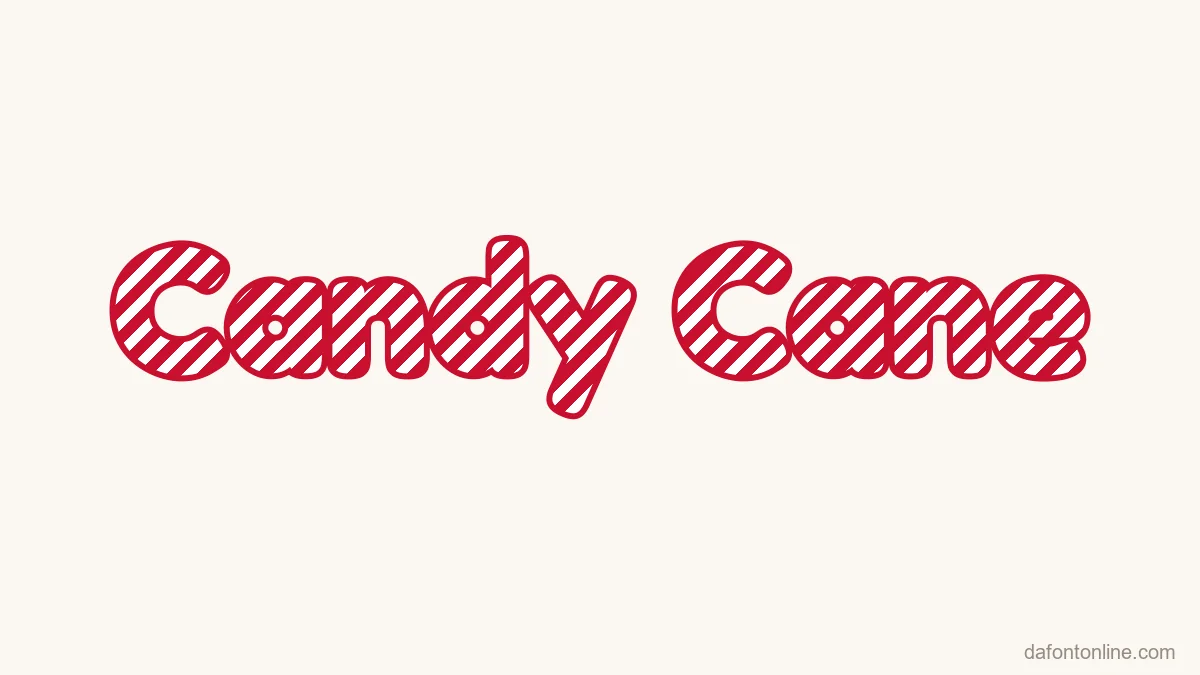
Eight fonts, three ways to get them
Striped fonts, hosted here: Candy Stripe, JD Stripex and Stripes. Striped fonts, link-only: KG Candy Cane Stripe, Candy Cane by Match Software and Candy Cane by Billy Argel. Plain bold fonts for adding your own stripes: Fredoka and Bowlby One.
-
Candy Stripe Download font Open in Studio
- Format
- TTF
- Licence
- Licence not stated: personal use only
- Made by
- Brian Kent (Ænigma)
- Commercial licence
- www.dafont.com
Candy Cane -
JD Stripex Download font Open in Studio
- Format
- TTF
- Licence
- Free for commercial use
- Made by
- Jecko Development
- Source
- www.jeckodevelopment.com
Candy Cane -
Stripes Download font Open in Studio
- Format
- TTF
- Licence
- Licence not stated: personal use only
- Made by
- Andrus Peegel
- Commercial licence
- www.dafont.com
Candy Cane -
KG Candy Cane Stripe Get it from Kimberly Geswein
- Format
- WEBP
- Licence
- Personal use only. We link to the author instead of hosting the file.
- Made by
- Kimberly Geswein
- Download from
- kimberlygeswein.com

-
Candy Cane (Match Software) Get it from Michel Bujardet
- Format
- WEBP
- Licence
- Personal use only. We link to the author instead of hosting the file.
- Made by
- Michel Bujardet
- Download from
- www.dafont.com

-
Candy Cane (Billy Argel) Get it from Billy Argel
- Format
- WEBP
- Licence
- Personal use only. We link to the author instead of hosting the file.
- Made by
- Billy Argel
- Download from
- billyargel.com

-
Fredoka Download font Open in Studio
- Format
- TTF
- Licence
- Free for commercial use
- Made by
- Milena Brandão, Hafontia
- Source
- fonts.google.com
Candy Cane -
Bowlby One Download font Open in Studio
- Format
- TTF
- Licence
- Free for commercial use
- Made by
- Vernon Adams
- Source
- fonts.google.com
Candy Cane
What each licence lets you do
| Font | Licence and why we host or link |
|---|---|
| Candy Stripe | Dafont lists it as 100% Free, but the readme gives no terms, so we label it as not stated. Hosted. |
| JD Stripex | Creative Commons Attribution 3.0, per its readme. Credit Jecko Development. Hosted. |
| Stripes | Dafont lists it as 100% Free, with no readme and an All Rights Reserved line in the file. Labelled not stated. Hosted. |
| KG Candy Cane Stripe | Free for personal use. The author’s page sends you to approved sites, and ours is not one. Link only. |
| Candy Cane, Match Software | A shareware trial: the readme asks $9.95 to register before regular use. Link only. |
| Candy Cane, Billy Argel | A personal-use sample. Its terms ban distribution for profit and renaming the file. Link only. |
| Fredoka, Bowlby One | SIL Open Font License. Free for commercial use. Hosted. |
Sources: dafont: Candy Cane, Kimberly Geswein: download page, Cricut Help: patterns, Cricut Help: Slice and Weld, Canva frame tutorial.
Stripes in a font, or stripes you add
A striped font draws the stripes into the letters, so it looks the same in every app, but a cutting machine sees dozens of tiny pieces. A plain bold font with a stripe fill on top is easier to cut, resize and recolour. For vinyl, I would use the second route.
How to fake the stripes with a clipping mask
The idea is the same in every app: put a striped layer behind the letters and show it only where the letters are.
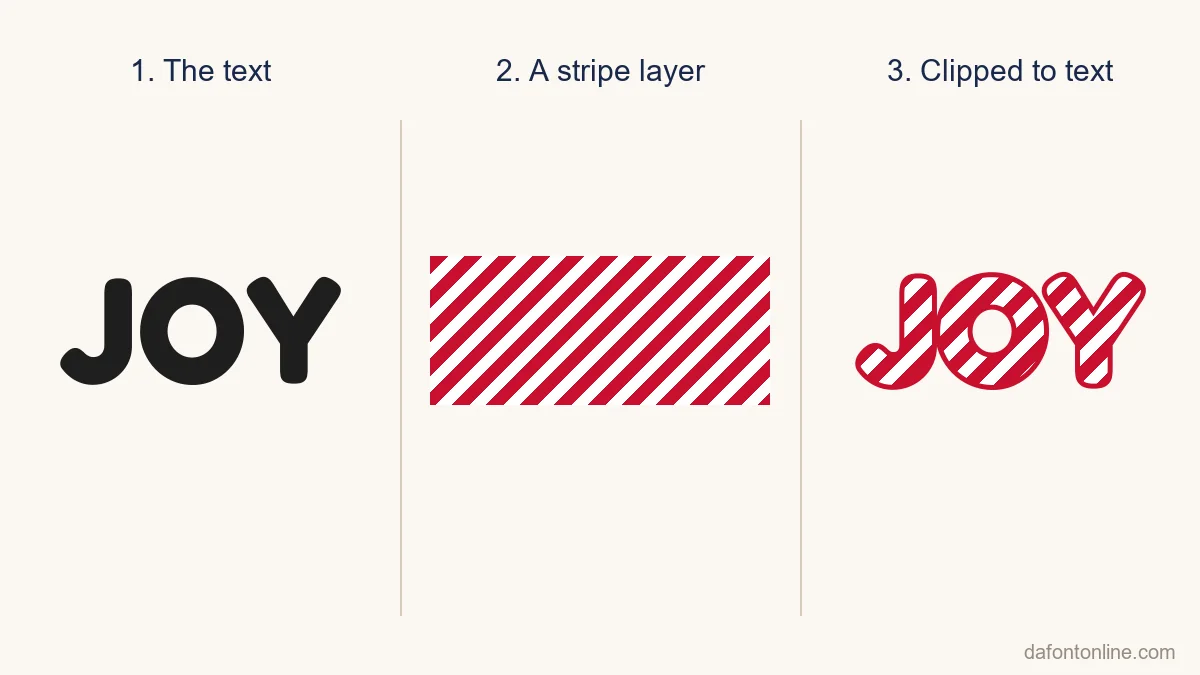
In Cricut Design Space, for printable stickers
- On Windows, right-click the downloaded file and choose Install. On a Mac, double-click it and choose Install Font in Font Book. Restart your design app if the font is missing from its menu.
- Type the text in a thick font such as Bowlby One or Fredoka, then change its Operation to Print then Cut.
- Click the colour swatch and choose Pattern from the Print type list, then pick or upload a red and white stripe pattern.
- Choose Edit Pattern to set the stripe scale and rotate it to 45 degrees. Cricut says patterns work only in the Windows and Mac versions of Design Space.
In Cricut Design Space, for cut vinyl
- Type the text in a thick font and make it large.
- Add a Square from Shapes, stretch it into a thin bar, rotate it 45 degrees, then duplicate it until the bars cover the whole word with even gaps.
- Select only the bars and choose Weld, so they become one stripe layer.
- Select the stripe layer and the text together and choose Slice.
- Delete the stripe pieces that fall outside the letters. The pieces left inside the letters are your red stripes. Cut those in red vinyl and the leftover letter pieces in white.
In Canva
- Search Elements for a stripe pattern, such as a red and white diagonal.
- Search Elements for a frame in the shape of each letter. One tutorial searches for “E frame”, then does the same for every other letter.
- Drag the stripe pattern into each frame, then double-click it to move or zoom the stripes.
- Line the framed letters up and group them.
We did not test the Canva steps ourselves. They follow the tutorial in the Sources line, and they are slow for long words.
How to spot a good striped font
- The stripes run at one steady angle, usually 45 degrees, and keep the same width on every letter.
- The stripes stop cleanly at the letter edge, so a coloured outline holds the shape together.
- The letters are thick enough that each stroke holds at least two stripes. Thin letters turn to noise.
FAQ
What is the candy cane font?
The best-known one is Candy Cane by Michel Bujardet of Match Software. Its readme calls it a shareware evaluation, and it asks $9.95 to register.
Is there a free candy cane font for commercial use?
JD Stripex is free for commercial use if you credit Jecko Development. Fredoka and Bowlby One are free for commercial use under the OFL, and you add the stripes yourself.
How do I make striped text in Canva?
Put a stripe pattern into letter-shaped frames, one letter at a time. We did not test it, and the steps are on this page.
How do I make candy cane letters on a Cricut?
Use Pattern fill with Print then Cut for stickers, or weld a layer of stripes and Slice it with the text for vinyl.
If you only want one font, JD Stripex is the one I can say yes to for a product, with a credit line. For anything else, a bold OFL font plus your own stripes gives the cleanest cut. More seasonal fonts are in the Christmas fonts hub.
Related
- Christmas fonts: free downloads and licences
- Cricut Christmas fonts
- Christmas cursive fonts
- Candy Beans font
- Grinch font look-alikes
Candy Cane is a font name used by several authors. DaFont Online is not affiliated with Match Software, Kimberly Geswein, Billy Argel or Cricut, Inc.