

On this page
Vincent Connare drew Comic Sans for Microsoft in 1994, and it was first supplied with the Windows 95 Plus! pack.
Quick answer: Comic Sans is Microsoft’s casual font and ships with Windows. It is not a free download. Comic Relief, under the OFL, is the closest free match and works commercially.
Can I use Comic Sans?
| Question | Answer |
|---|---|
| Personal use | Yes, on the Windows or Office computer it is installed on. Passing the file to someone else is redistribution, which Microsoft licenses separately. |
| Commercial use | Use it on Windows or Office you own. Web use, redistribution and server installs need a Microsoft licence. |
| Where to get it legally | It ships with Windows. Microsoft’s Comic Sans MS page explains the licences. |
Free Comic Sans look-alikes to download
Each card is free for commercial use under the SIL Open Font License. Closest match: Comic Relief, in Regular and Bold. Similar: Comic Neue.
-
Comic Relief Download font Open in Studio
- Format
- TTF
- Licence
- Free for commercial use
- Made by
- Jeff Davis
- Source
- fonts.google.com
Type a line in a comic style -
Comic Relief Download font Open in Studio
- Format
- TTF
- Licence
- Free for commercial use
- Made by
- Jeff Davis
- Source
- fonts.google.com
Type a line in a comic style -
Comic Neue Download font Open in Studio
- Format
- TTF
- Licence
- Free for commercial use
- Made by
- Craig Rozynski, Hrant Papazian
- Source
- fonts.google.com
Type a line in a comic style
Who uses which font
We found no sourced logo, poster or product set in Comic Sans for this page, so none is listed. For a casual look in your own work, use the free matches above.
Font facts
| Typeface | Comic Sans MS |
| Designer | Vincent Connare |
| Foundry / maker | Microsoft |
| Year | 1994 (design), first supplied with Windows 95 Plus! |
| Licence in plain words | Ships with Windows and Office. Redistribution and web use need a Microsoft licence. |
Sources: Microsoft’s Comic Sans MS page, which also carries Vincent Connare’s note on the design.
How to recognise Comic Sans
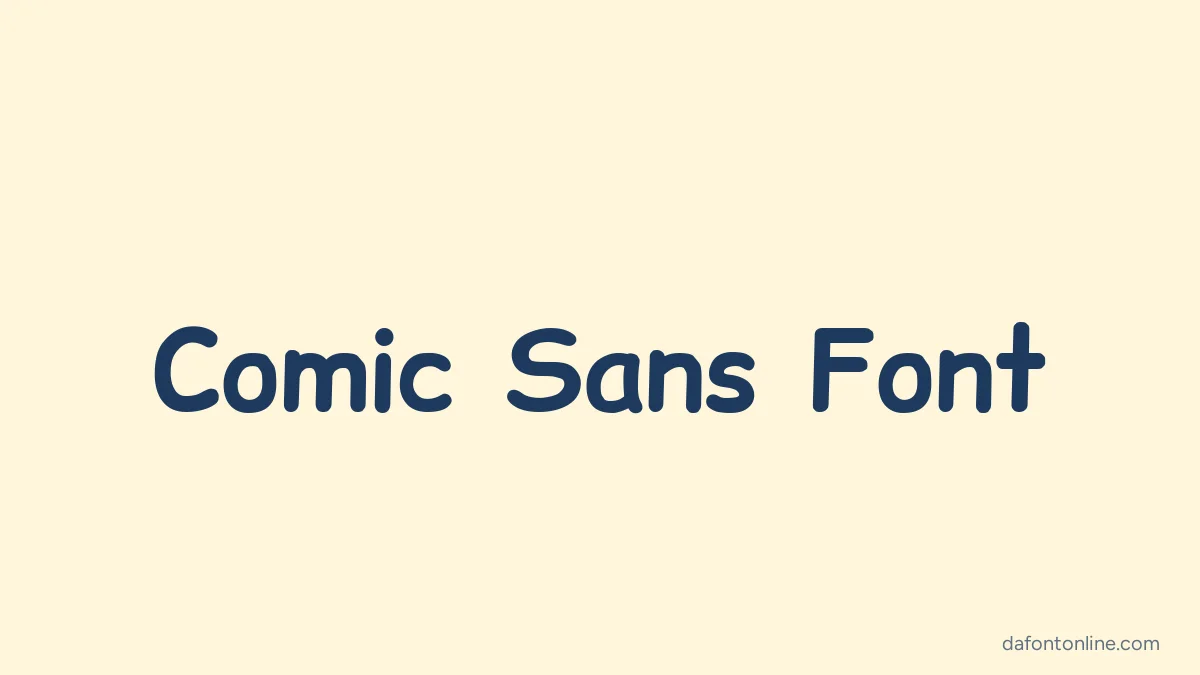
- Look at the g. Comic Sans has a single-storey g, as the sample on our contact sheet shows.
- Check the file names. Windows keeps Comic Sans as comic.ttf for Regular and comicbd.ttf for Bold, with comici.ttf and comicz.ttf for the italics.
- Count the cuts. A Windows install holds four Comic Sans files: Regular, Bold, Italic and Bold Italic.
- Be wary of a free Comic Sans download from a font site. The licence is Microsoft’s, so a copy that any site hands out is not a licensed copy.
Free alternatives, best first
Comic Relief (closest match). Round, casual capitals and a Regular weight close to Comic Sans’s stroke. Compared by eye on our contact sheet against the Comic Sans files from a Windows install, in Regular and Bold.
Differences: We host only Regular and Bold, with no italic, so italic lines need a different font.
Comic Neue (similar). The same casual shapes, drawn lighter, with a tidy texture.
Differences: Its Regular is much lighter than Comic Sans on our sheet, so set body text a size larger.
Use a free match in Word, Google Docs or Canva
- Word on Windows: Comic Sans is already installed, so pick it from the font list. If it is missing, install the Comic Relief TTF from this page (right-click and choose Install), then restart Word.
- Google Docs: open the font menu and choose Comic Relief or Comic Neue. Both are Google fonts, so nothing needs installing.
- Canva: check Canva’s own font list first. We did not test Canva’s list for this page.
Comic Sans questions
Is Comic Sans free to download?
No. It ships with Windows and Office, and Microsoft licenses it separately for other uses. The free options are Comic Relief and Comic Neue.
What is the closest free font to Comic Sans?
Comic Relief. It is the closest of the two we compared by eye on our contact sheet, in both Regular and Bold.
Who designed Comic Sans?
Vincent Connare designed it in 1994 for Microsoft, according to his note on Microsoft’s page.
Can I use Comic Sans in a logo?
Not on a licence you do not hold. For a logo, pick Comic Relief or Comic Neue, which are both OFL and free for commercial use.
Related
- Segoe UI font, Microsoft’s interface sans and its free stand-in.
- Courier font, a typewriter face and its free matches.
- Nunito font, a rounded sans that is free under the OFL.
- Font alternatives, the hub for paid fonts and their free matches.
- More background on Comic Sans at Free Fonts Vault.
Comic Sans is a typeface by Microsoft. DaFont Online is not affiliated with Microsoft.