

Quick answer: Fonts in Canva’s library work only inside Canva, and there’s no button to download them. Most of the popular ones are paid fonts from independent designers. Below are five that people keep asking about, who really made each one, and a free font you can download today that looks the same.
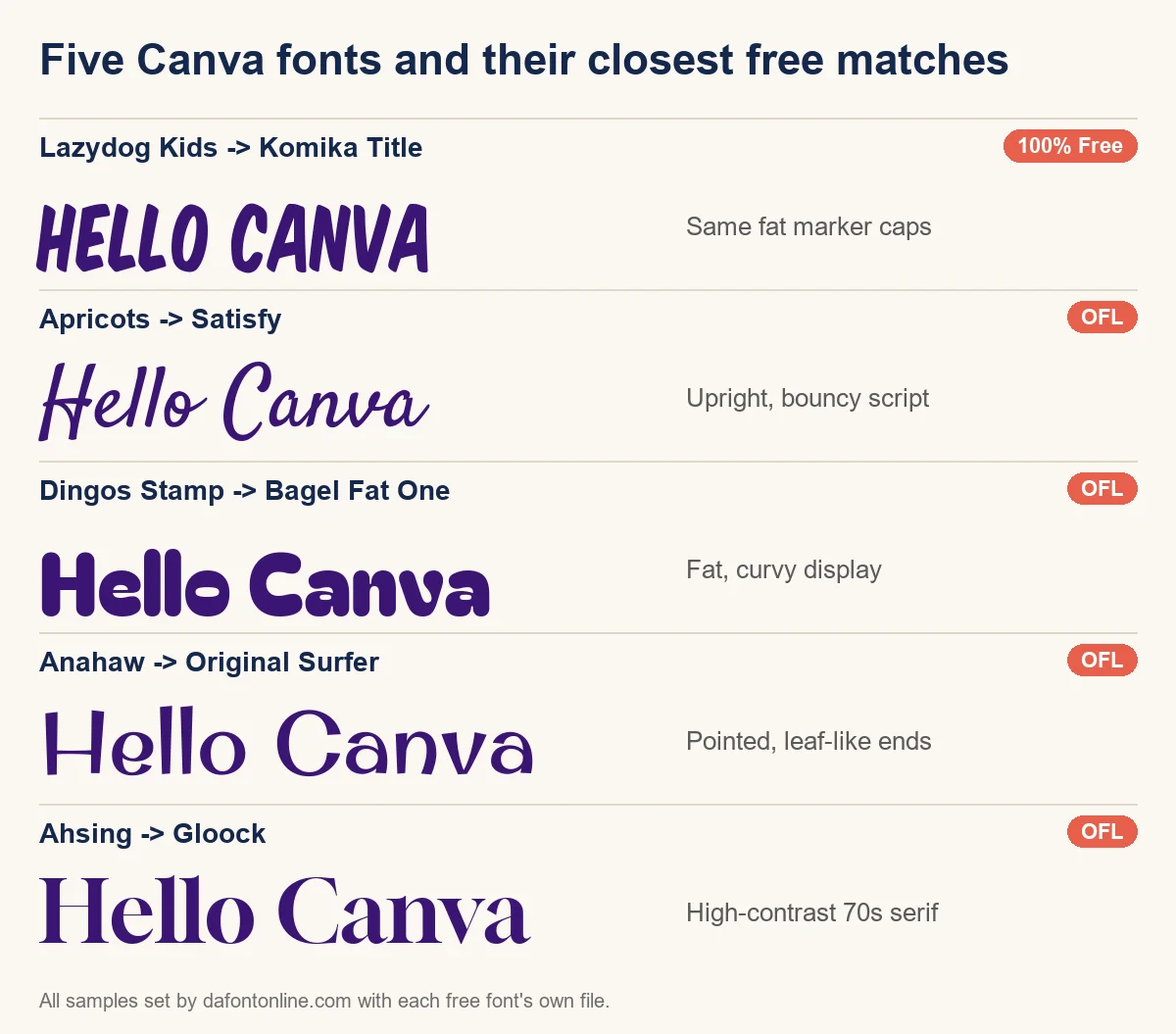
Five Canva fonts and what to use instead
| Font in Canva | Free? | Free match |
|---|---|---|
| Lazydog Lazydog Kids by Juliya Kochkanyan (JuliyArt) | Paid | Komika Title, Chewy |
| Apricots KA Designs | Personal-use demo only | Satisfy |
| Dingos Stamp Julia Martinez Diana, Antipixel | Paid | Bagel Fat One |
| Anahaw Alfredo Marco Pradil, Hanken | Was free, now sold | Original Surfer |
| Ahsing Michael Parson, Typogama | Paid, $25 | Gloock |
Each name links to its own page, with the free fonts ready to download, a tester to try your own words, and a side-by-side picture so you can judge the match yourself.
Why Canva won’t let you download them
Canva licenses its library fonts for use inside Canva. Outside it, the font still belongs to the person who drew it, and most of them sell it on Creative Market, MyFonts, Fontspring or their own shop. That’s why screenshots, browser tricks or “Canva font download” sites never give you a clean, legal file.
You have three honest options: keep designing inside Canva, buy the font from its maker, or switch to a free font with the same feel. For logos, Etsy listings and anything you print or sell, the last two keep you safe.
Using a free match in Canva, Cricut or Word
- Download the free font from its page here and unzip it if it came zipped.
- Canva: open Brand Kit and upload the TTF or OTF file. Font uploads need Canva Pro or Teams.
- Cricut Design Space: install the font on your computer, restart Design Space, and look under System fonts.
- Word or Photoshop: install it once on your computer and it appears in the font menu.
Want to test words first? Our font generator shows your text in many styles without installing anything.
Canva font questions
Can I download fonts from Canva?
No. Canva’s library fonts can only be used inside Canva. To use the same look elsewhere, buy the font from its designer or download a free match.
Can I upload my own fonts to Canva?
Yes, with Canva Pro or Teams. Open Brand Kit, choose to upload a font, and pick a TTF or OTF file you have the right to use.
How do I find out which font a Canva design uses?
Click the text in Canva and the font name shows in the toolbar. Search that name here, or look it up on the designer’s shop to see who made it.
The short version
Love a Canva font but need it outside Canva? Find it in the table, open its page, and grab the free match. It takes less than a minute, and you won’t have to worry about licences.