

On this page
About Marvel Font
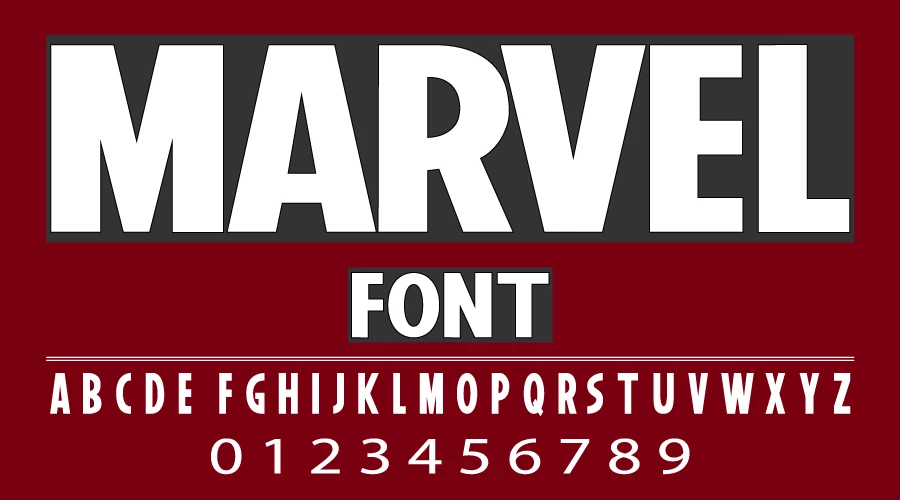
The Marvel logo font’s real name is Benton Sans Extra Compressed Black, part of the Benton Sans family. Tobias Frere-Jones designed the family, and Cyrus Highsmith later extended and updated it. Font Bureau publishes it. The Marvel Comics logo uses it with custom changes, and it is based on Morris Fuller Benton’s News Gothic.
Marvel is a comic book company founded in 1939. In 1998 it became an entertainment company, Marvel Entertainment, LLC, and Marvel Studios now produces the Marvel Cinematic Universe films.
A fan replica called Marvel, made by YbtFonts in 2019, is a demo for personal use only, and its terms do not allow redistribution. We do not host it.
Usage
The Marvel logo style is a bold, condensed, all-caps sans. It works best for headlines, titles, thumbnails and posters. It is not ideal for long lowercase text.
Free look-alikes for Marvel
The Marvel logo is a heavy, condensed sans with tight spacing. Both fonts below are under the SIL Open Font License, so they are free for commercial use.
- Anton by Vernon Adams is a tall, heavy condensed sans. It has the same compact, impact-first shapes as the Marvel logo.
- Oswald Bold by Vernon Adams, Kalapi Gajjar and Cyreal is a condensed gothic in a bold weight. It is lighter than Anton and suits longer words.
-
Anton Download font Open in Studio
- Format
- TTF
- Licence
- Free for commercial use
- Made by
- Vernon Adams
MARVEL -
Oswald Bold Download font Open in Studio
- Format
- TTF
- Licence
- Free for commercial use
- Made by
- Vernon Adams, Kalapi Gajjar, Cyreal
MARVEL
Font info Table
| Name | Benton Sans Extra Compressed Black |
| Style | Compressed Black |
| Designer | Tobias Frere-Jones; Cyrus Highsmith |
| Publisher | Font Bureau |
| Licence | Commercial. Not hosted here. |
License Information
Benton Sans is a paid Font Bureau family, and the Marvel logo font is not hosted here. For commercial use of the original, buy a licence from Font Bureau. The two free look-alikes above are licensed under the SIL Open Font License, so they are free for commercial use.
Similar to Marvel Font
- Marvel Font by Carolina Trebol
- Benton-Sens
- League Gothic
- Wolverine font
Note: To install a font, Windows: right-click the font file and choose Install. Mac: double-click it and click Install Font (see our Mac install guide).
If you have any questions, don’t hesitate to contact us. Thank You!